
Vocabulary
How to import your Anki decks into Yomimaru
Yomimaru imports your Anki decks with their review history: export a deck from Anki as an .apkg file, or your whole collection as a .colpkg file, then drop it on Yomimaru's import page. Yomimaru is a Japanese learning app built around reading, for every level, with a vocabulary system built in. Vocabulary and almost every other card come over, nothing changes in Anki, and you can undo the import for 30 days. Words you've learned in Anki count as learned in Yomimaru, and each word keeps its schedule.
By Maxime Pitaval. Updated . 12 min read.
On this page
Before you start: .apkg and .colpkg files
An .apkg file is an Anki Deck Package: one Anki deck in a single file, with its cards and, if you include them, its review history, pictures and sound. A .colpkg file holds your whole Anki collection the same way, and Yomimaru imports both.
You make the file in Anki on a computer (Mac, Windows or Linux), in AnkiDroid on Android, or in AnkiMobile on iPhone and iPad. Yomimaru reads exports from current and older versions of Anki. The import works on a phone too, though a big file goes better on a computer.
How to export your decks from Anki
To move your decks to Yomimaru, export them from Anki with their scheduling information: one deck as an .apkg file, or your whole collection as a .colpkg file.
On a computer
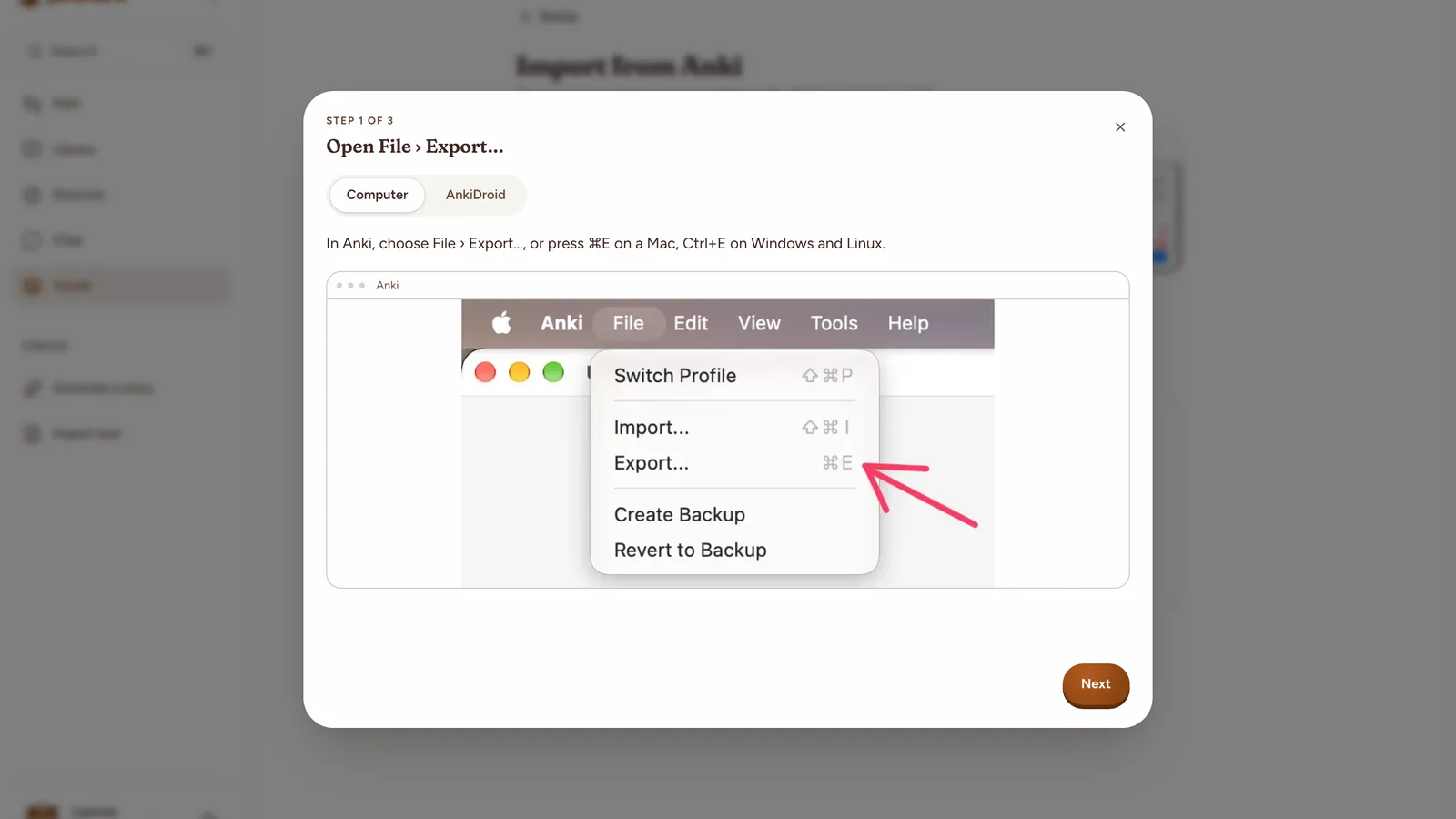
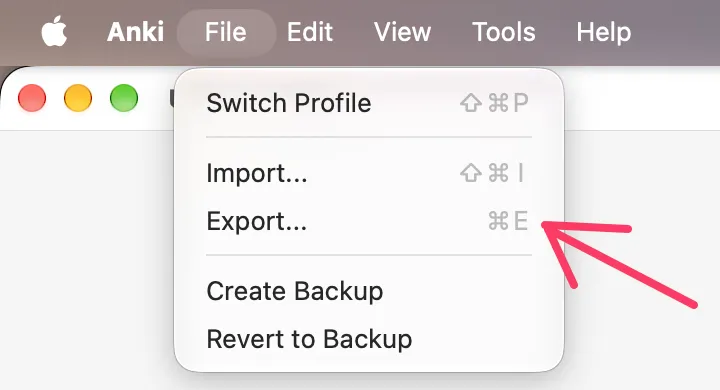
Open File › Export…
In Anki, choose File › Export…, or press ⌘E on a Mac, Ctrl+E on Windows and Linux.
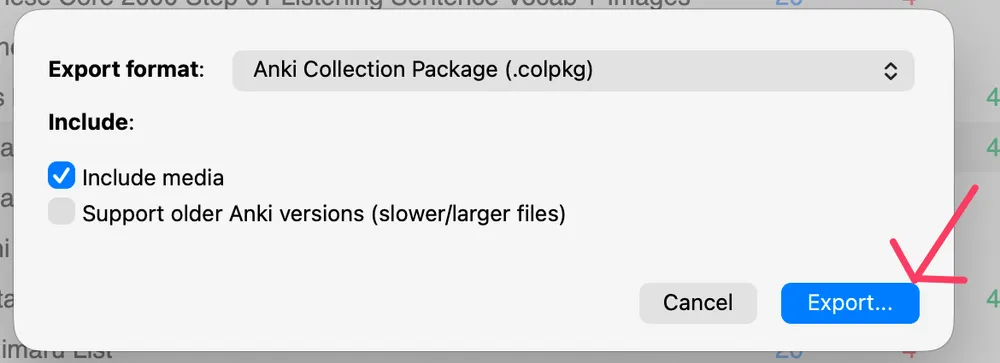
Export everything, or one deck
Pick a format at the top of the window. Either file works. Keep Include media ticked to bring the deck’s pictures and recordings.
Your whole collection. Anki Collection Package (.colpkg). Leave Include media ticked: every deck comes with its reviews, settings, pictures and recordings.
One deck. Anki Deck Package (.apkg), then the deck. Keep Include scheduling information and Include media ticked, and tick Include deck presets.
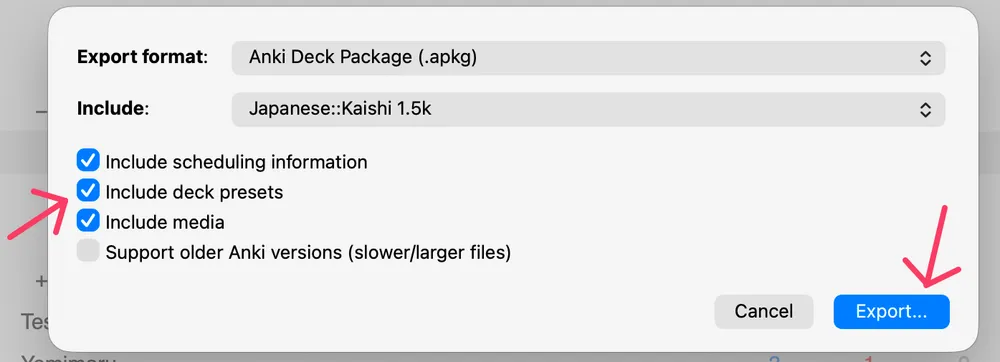
Export, then bring the file to Yomimaru
Anki saves a .colpkg or .apkg file. Drop it on Yomimaru’s import page, or press Choose a file there and pick it.
Without Include deck presets, one deck comes into Yomimaru at Anki's default of 20 new cards a day. The Anki manual's export page describes each option.
On AnkiDroid
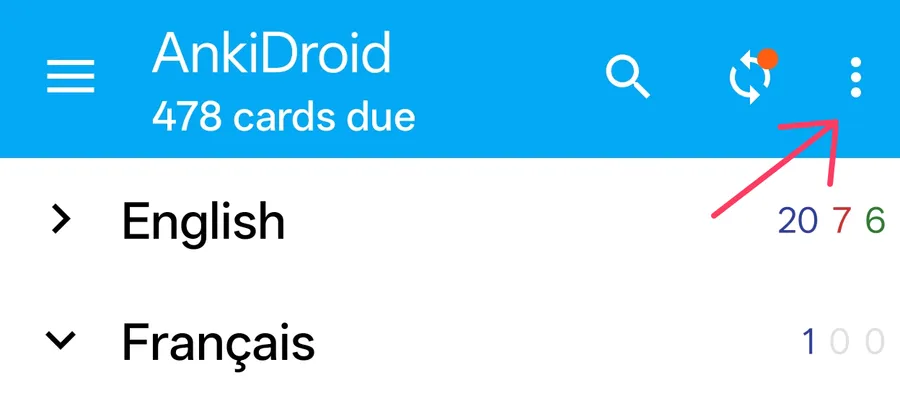
Open the ⋮ menu
In AnkiDroid’s deck list, press ⋮ at the top right, then choose Export collection. You can still pick one deck in the next window.
Export everything, or one deck
For everything, pick Anki collection package (.colpkg). For one deck, pick Anki deck package (.apkg) and the deck, keep Include scheduling information and Include media ticked, and tick Include deck presets. Then press Export.
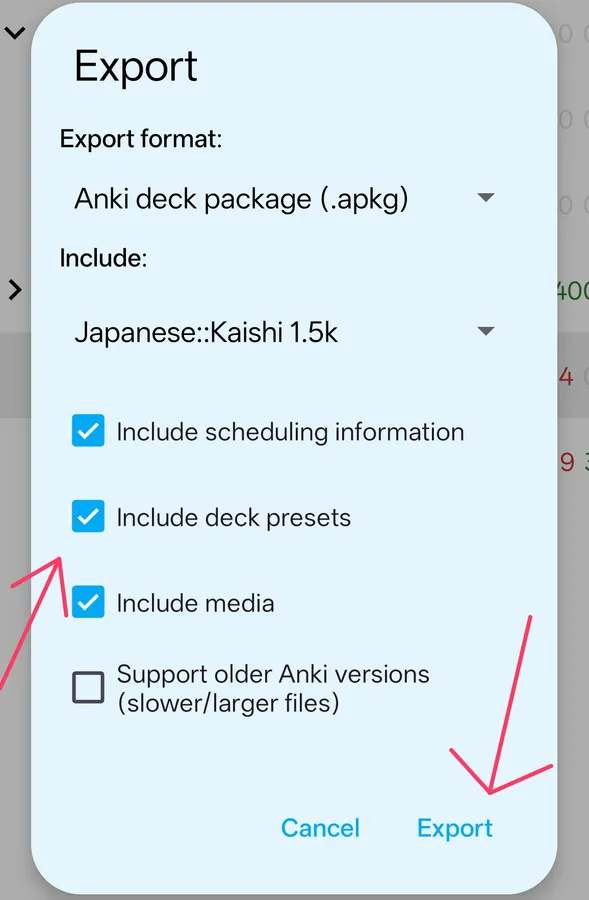
Save the file, then choose it in Yomimaru
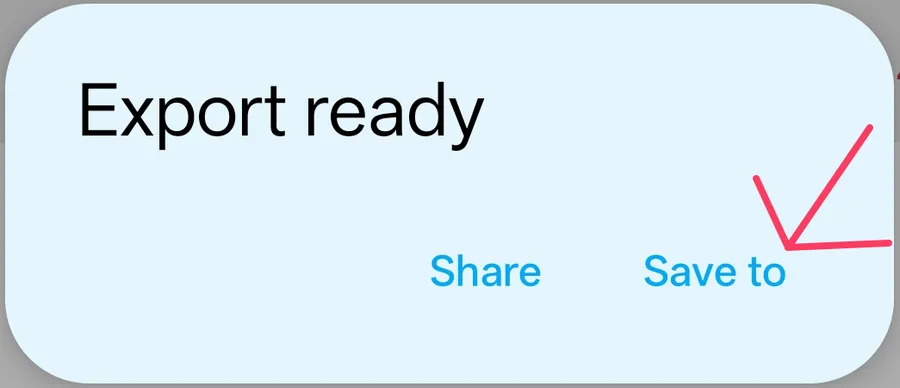
Press Save to and keep it in your phone’s files, then press Choose a file on Yomimaru’s import page and pick it. Or press Share to send it to your computer, and drop it there.
On AnkiMobile (iPhone and iPad)
In AnkiMobile, tap Add/Export at the bottom left of the deck list to export your whole collection. For one deck, swipe right to left over it and tap Export. "Export to Share" then sends the file on, for example by AirDrop to your computer.
Import the file into Yomimaru
Yomimaru takes the file on its "Import from Anki" page. Open it from Decks ("Bring your Anki decks") or from Settings › Integrations › Anki, then drop the file on the page or press "Choose a file".
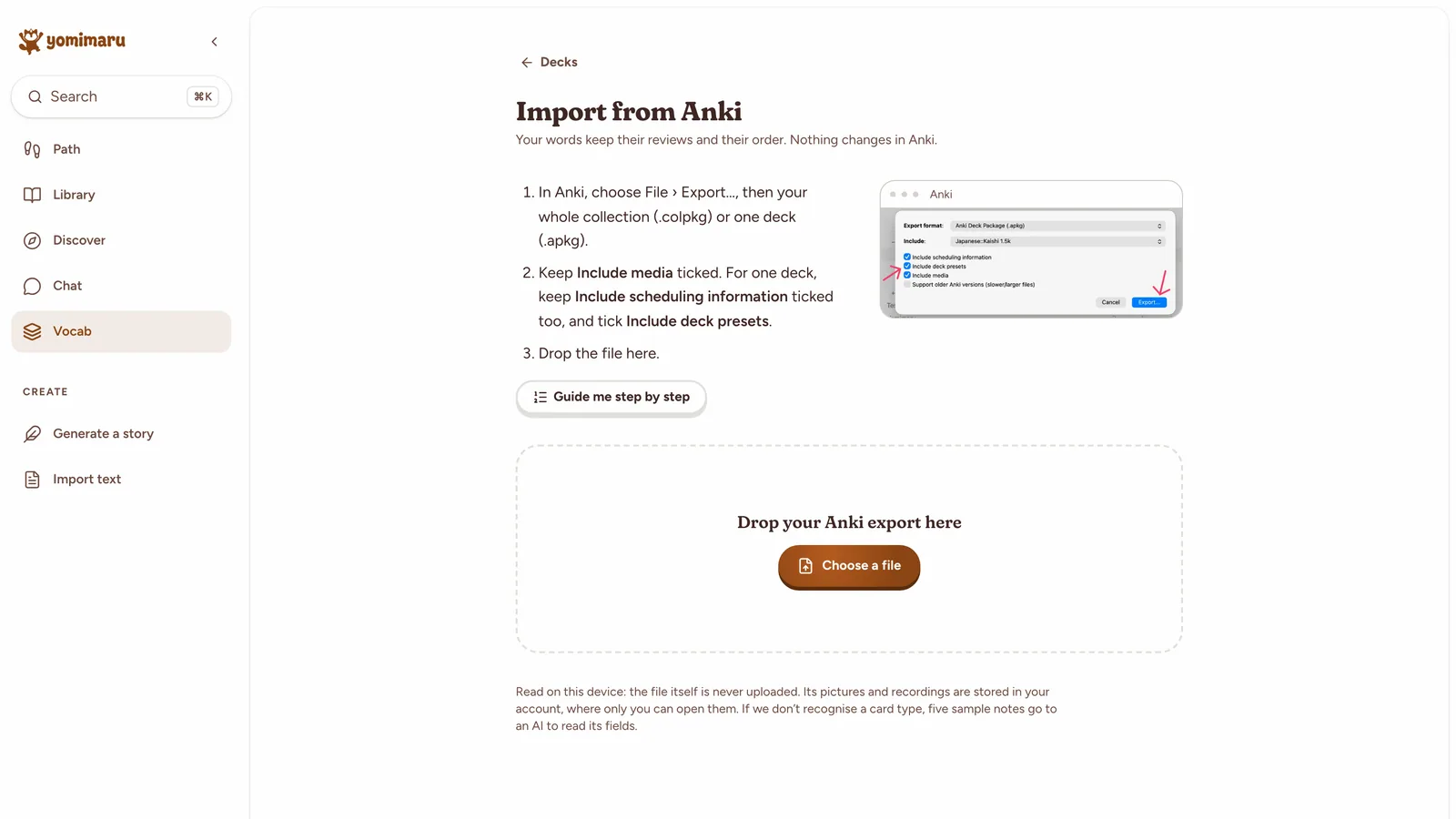
Yomimaru reads the file on your device and never uploads the file itself. Its pictures and recordings are stored in your account, where only you can open them.
Yomimaru recognises the popular decks by their fields: Kaishi 1.5k, Core 2k/6k, Jlab, Migaku and subs2srs, and the Lapis, Kiku and JP Mining Note cards that sentence miners use. Other card types are read from their field names. For a card type still unread, five sample notes go to an AI to read which field holds the word ("Read by AI"). A card type none of these can read is rare, and before importing you can check and change which field holds the word, its reading and its meaning.
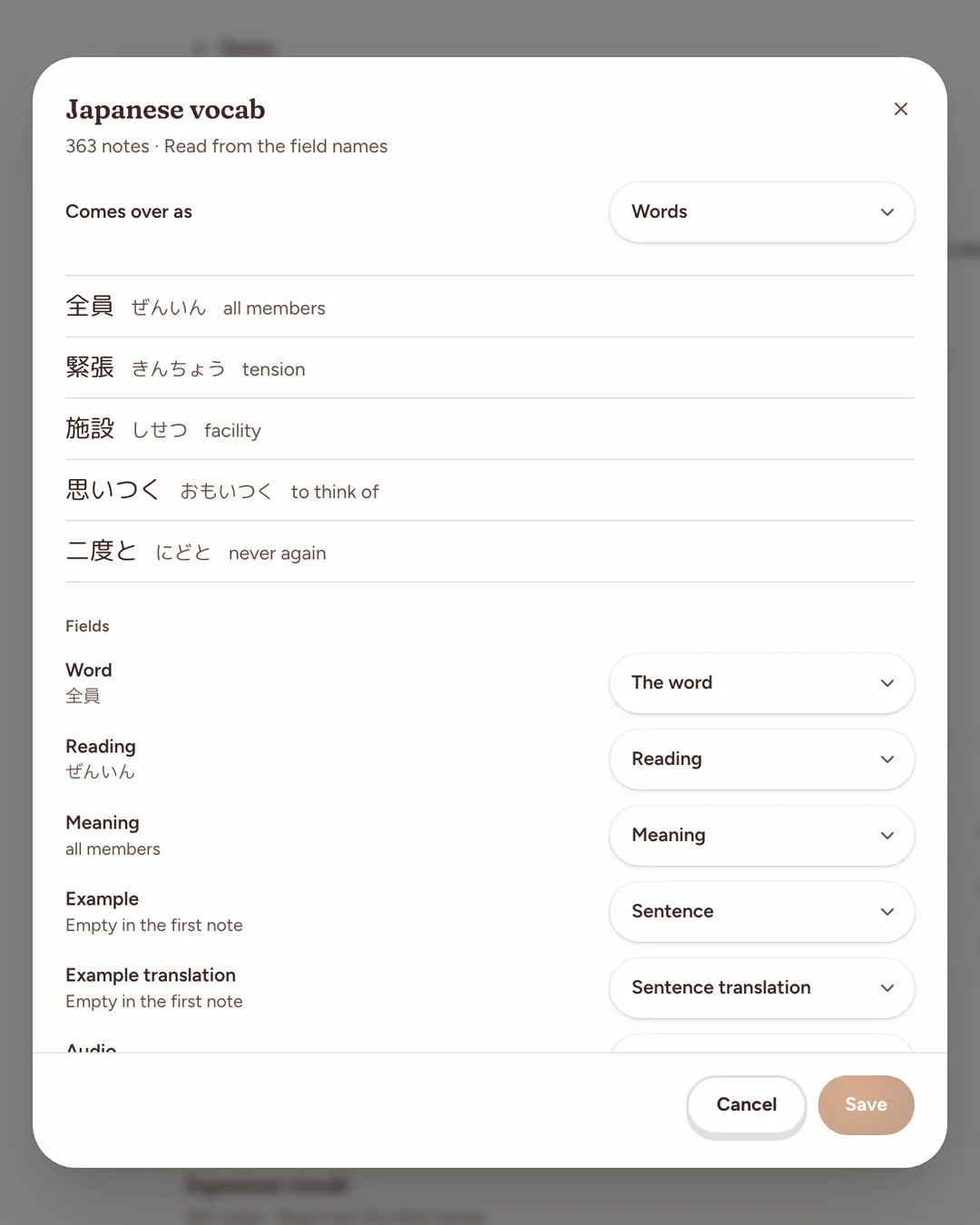
Check what comes over before you import
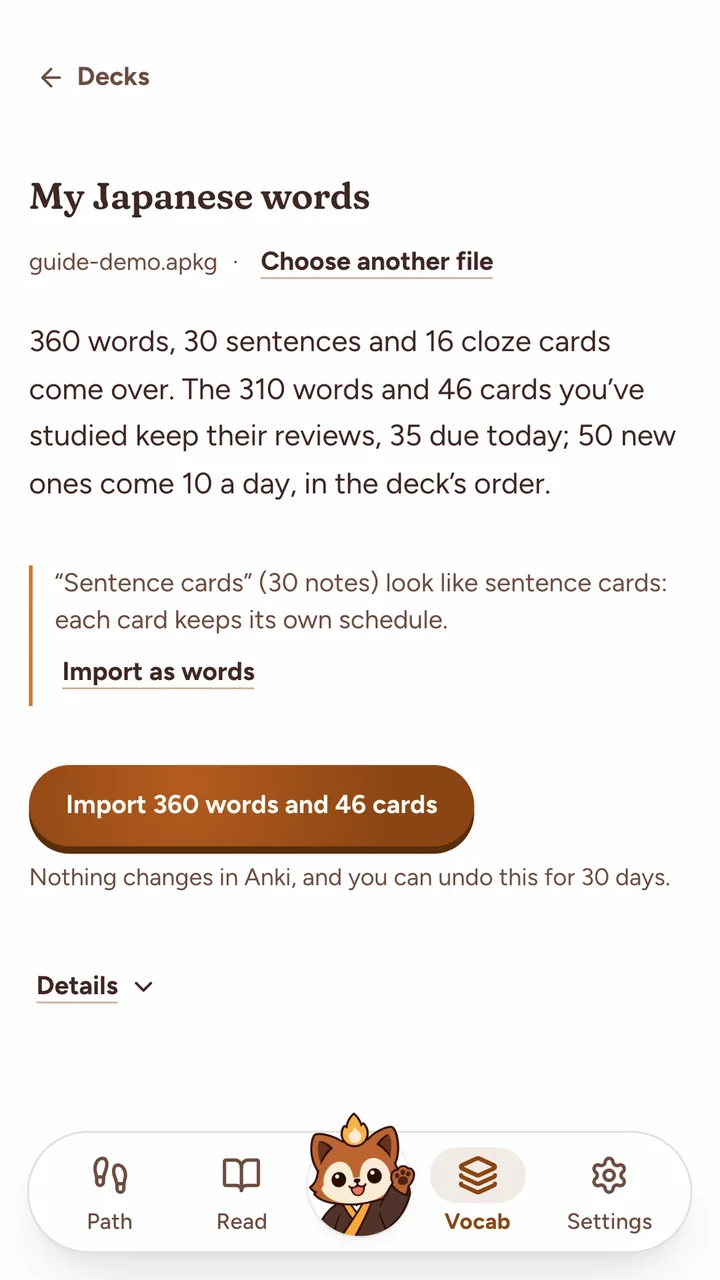
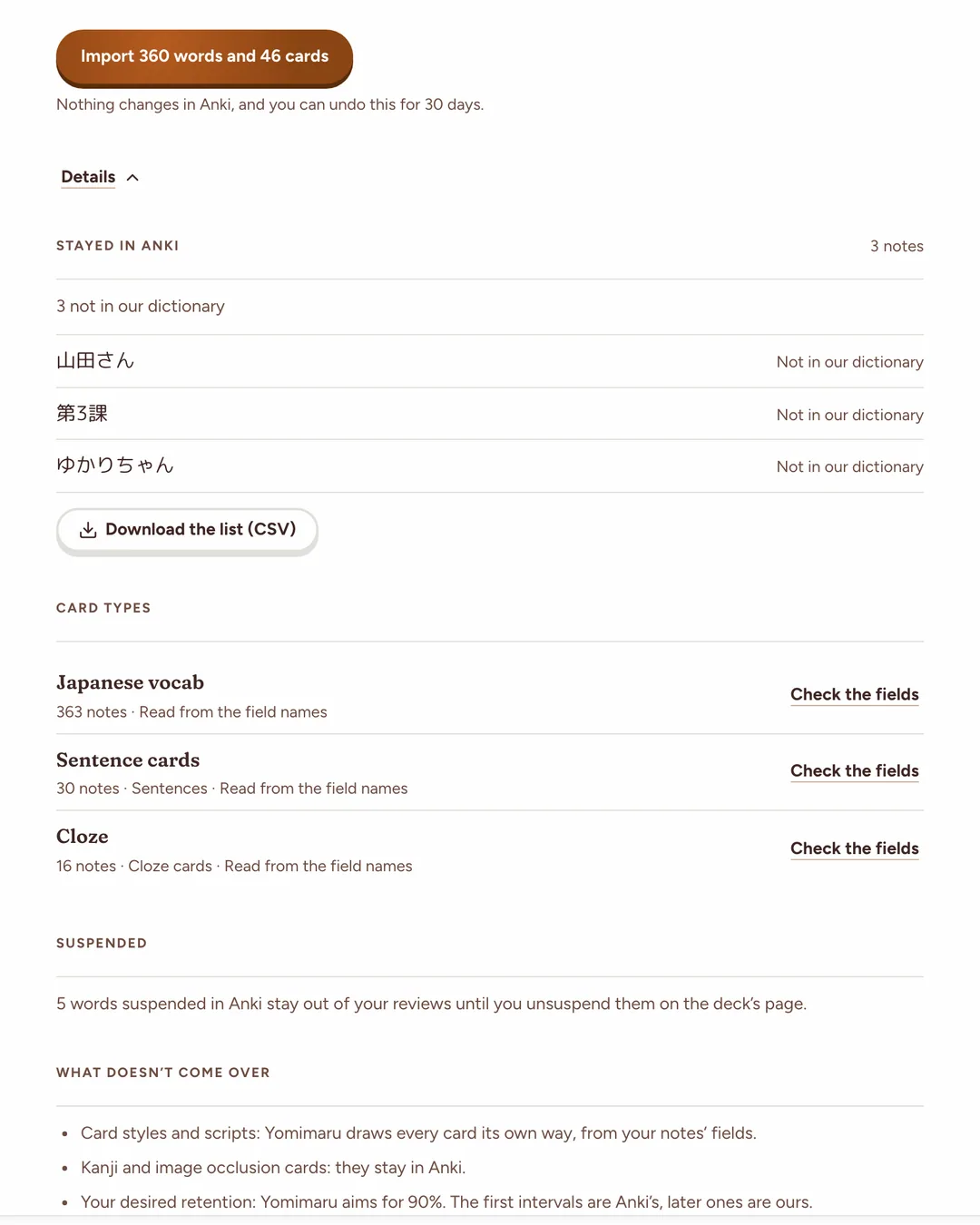
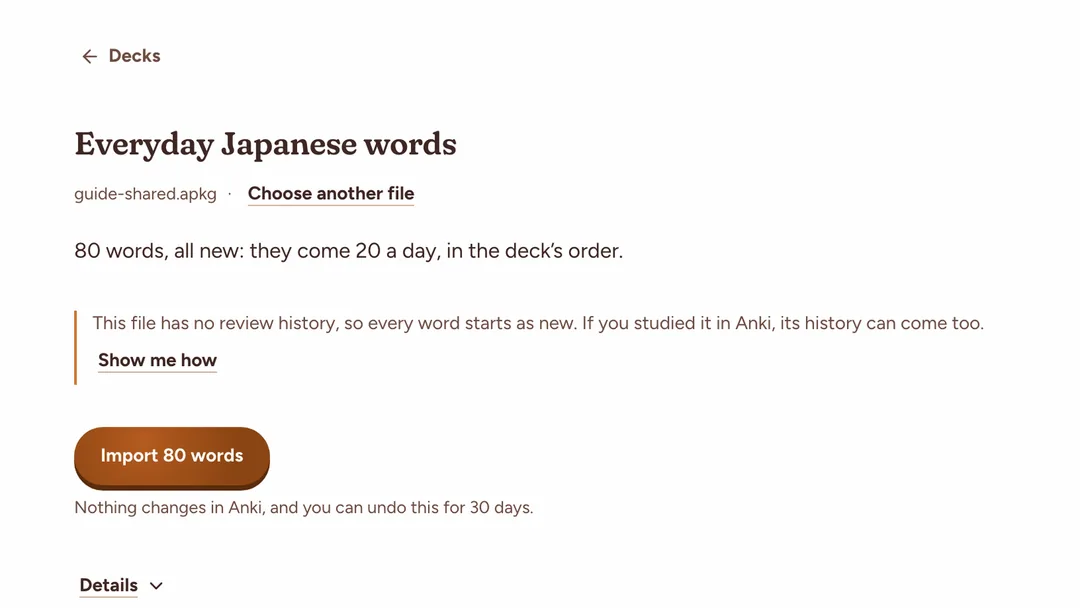
Before anything is saved, Yomimaru shows what the file brings: the words and cards, the reviews due today, and how new words will arrive. The same screen says "Nothing changes in Anki, and you can undo this for 30 days."
"Details" breaks it down:
- "Stayed in Anki": each card left behind, with its reason;
- "Guessed words": words with two close dictionary entries, and Yomimaru's pick;
- "Card types": what each card type comes over as, with "Check the fields";
- "Order", for a deck that sets its own order in a field: the order its new words come in;
- "Suspended": words suspended in Anki, kept out of your reviews until you unsuspend them.
A folder of decks becomes one Yomimaru deck per Anki deck, or a single deck if you choose "Combine into one deck". One import takes up to 30,000 words and 60,000 cards. Past that, the page asks you to leave some decks out.
What comes over from Anki, and what stays
Almost any Anki card comes over to Yomimaru. Your vocabulary becomes Yomimaru words, and your sentence, grammar, cloze and lesson cards keep their own schedule, content, pictures and sound. Image occlusion cards stay in Anki. A kanji deck, with one kanji to a card (RTK, KanjiDamage), waits for your OK, because Yomimaru tracks words: "Import anyway" brings each kanji in as the word it spells on its own.
Your review history becomes each card's memory in FSRS-5, the scheduler Yomimaru uses. Yomimaru takes Anki's own FSRS memory if you turned FSRS on. Otherwise it works the memory out from your review log, or from the card's interval when there is no log. Each card keeps its due date. How Yomimaru schedules reviews explains what happens next.
Only words count toward your Lantern tiers, your JLPT levels and the Yomimaru 6k. Sentence, grammar, cloze and lesson cards never change a word's progress.
| In your Anki file | What happens |
|---|---|
| Vocabulary cards | What happens: Yomimaru words, matched to its dictionary, with your deck's reading when it fits |
| Sentence, grammar, cloze and lesson cards | What happens: Cards with their own schedule, drawn from your notes' fields |
| Your meanings, sentences and notes | What happens: On the word's card, your deck's meaning first |
| Review history | What happens: Each card's memory and due date. Anki's learning steps keep their time. |
| Meaning → Japanese cards | What happens: Reviews both ways for that deck |
| Suspended cards | What happens: Still suspended. A word you never studied and suspended stays in Anki. |
| Deck presets | What happens: The deck's new cards a day and its review limit |
| Pictures and recordings | What happens: Kept and private to you. Pictures up to 20 MB a file come over, shrunk to 640 px when over 150 KB. Recordings come over up to 3 MB a file, and videos don't. You have 1.5 GB for them in all; past that, the rest stays in Anki. |
| Filtered decks | What happens: Their cards come over in their home deck |
| Kanji cards, one kanji to a card | What happens: Come in as words when you choose "Import anyway" |
| Image occlusion cards | What happens: Stay in Anki |
| A card type no preset, field name or AI can read | What happens: Rare. It waits until you choose the field that holds the word |
| Words missing from Yomimaru's dictionary | What happens: Rare, since words are matched against JMdict. Usually names or textbook labels, such as 山田さん or 第3課, and they stay in Anki ("Not in our dictionary") |
| Card styles and scripts | What happens: Stay in Anki. Yomimaru draws every card its own way. |
| Desired retention | What happens: Stays in Anki. Yomimaru aims for 90%. |
Decks with pictures and audio, like Jlab
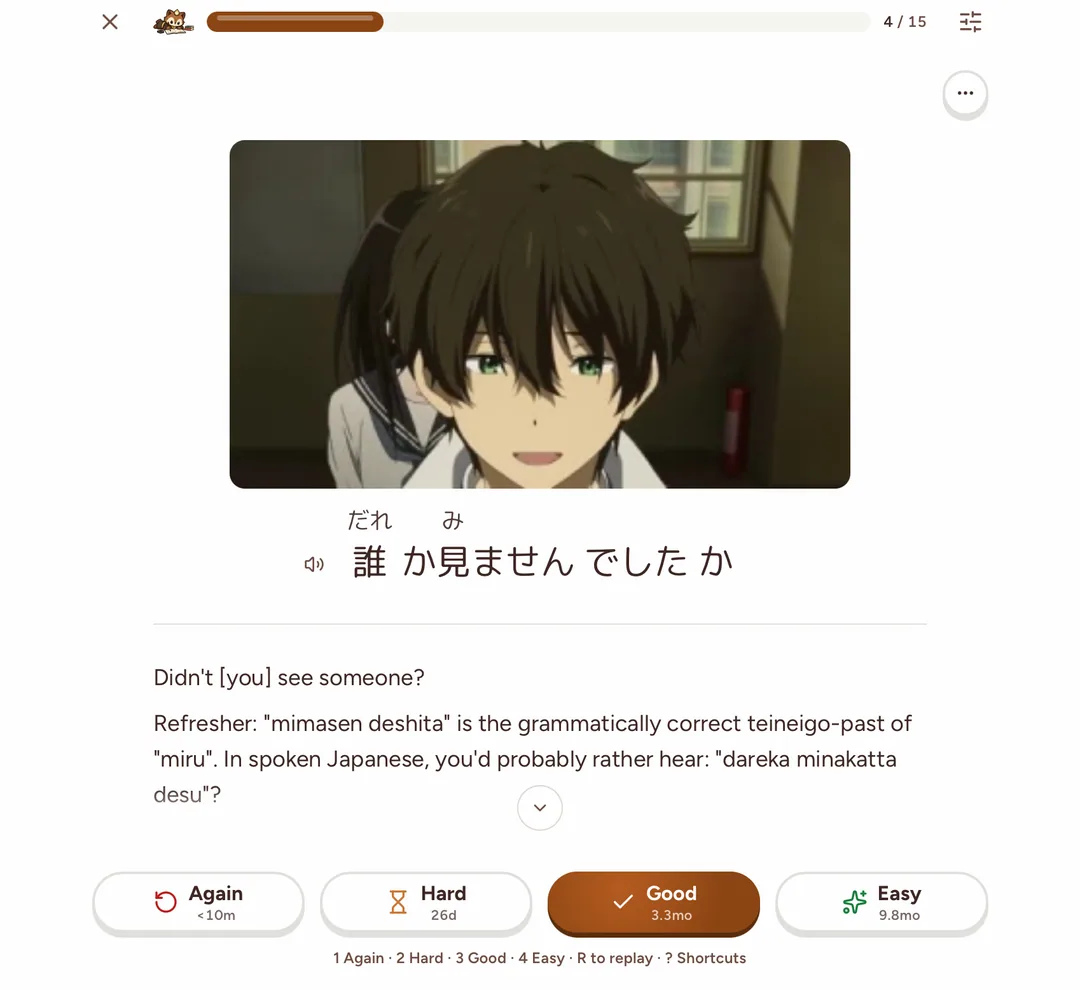
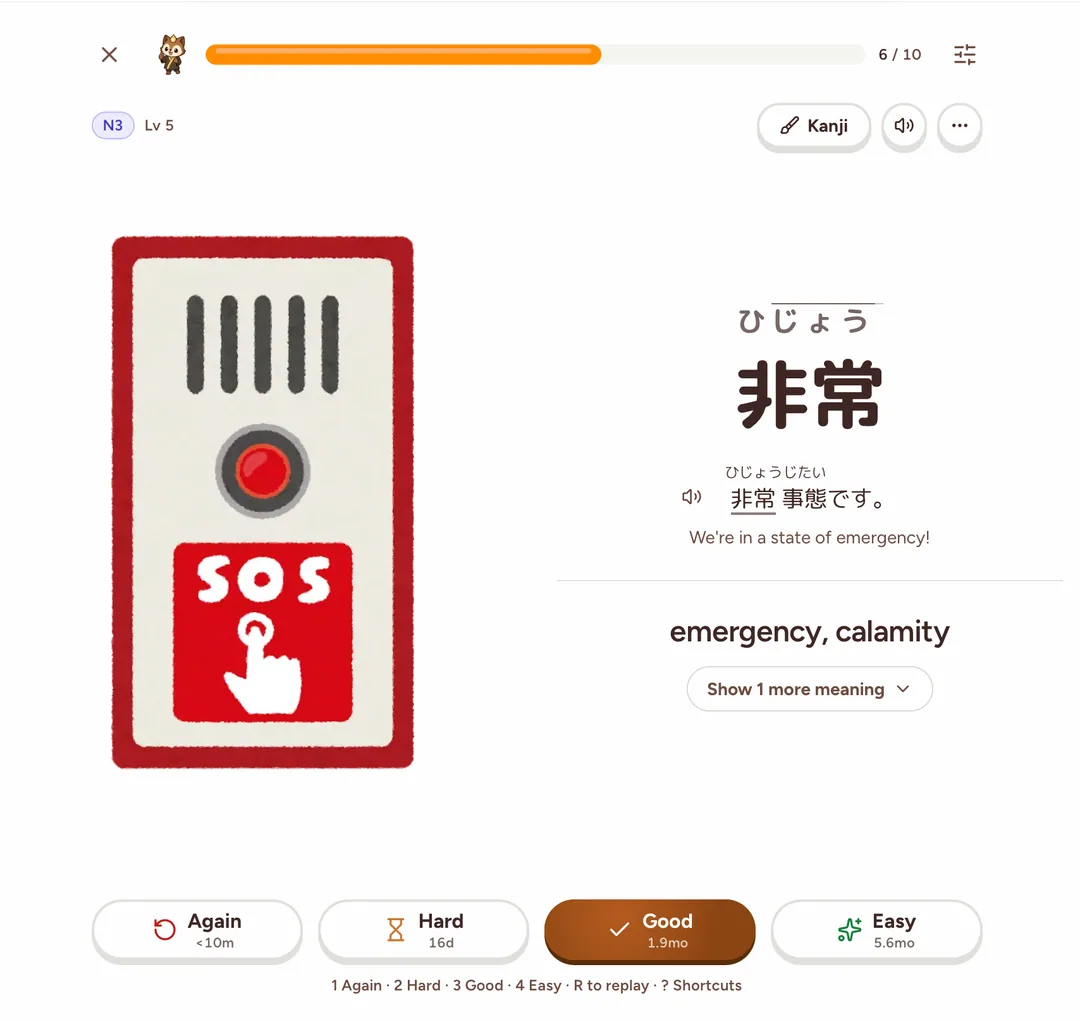
Decks built on pictures and sound work in Yomimaru. A Jlab card keeps its anime frame, its spoken line, its translation and its notes, and Jlab's lessons come over as lesson cards. A word from Kaishi 1.5k or Core 2k/6k keeps its picture, its recording and its example sentence.
Yomimaru draws each card from your fields: the picture beside the word or above the sentence, and a speaker to play the audio, which R replays. When your deck has a recording of a word, Yomimaru plays it rather than its own. A tap on a picture opens it larger.
If you use Anki today
If you study Japanese in Anki today, moving to Yomimaru keeps your review history and due dates. Yomimaru's vocabulary reviews run on FSRS-5, the open-source scheduler Anki also offers, aiming for you to remember 9 words in 10. Your card templates stay behind, because Yomimaru draws its own cards from your fields. Your desired retention stays behind too: your current intervals come over, and the ones after are Yomimaru's. Your Anki collection doesn't change, so you can keep using it. For where each app fits, see our guide to apps to learn Japanese, by goal.
What happens after the import
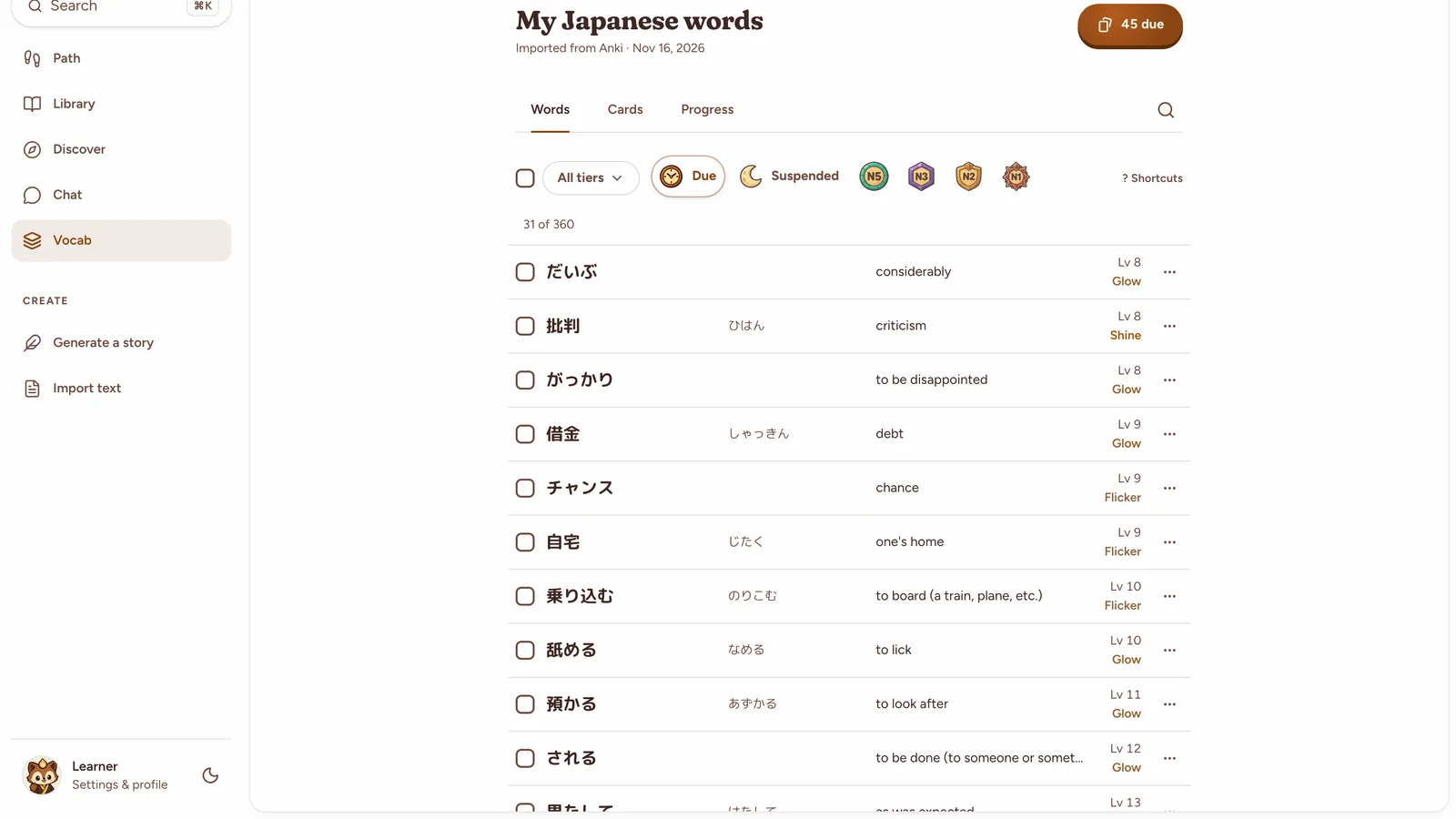
When the import finishes, Yomimaru names the deck that arrived and offers "Start reviewing" if reviews are due. Each Anki deck is now a Yomimaru deck in Decks. Its due reviews join your daily review, and its new words come in the deck's order.
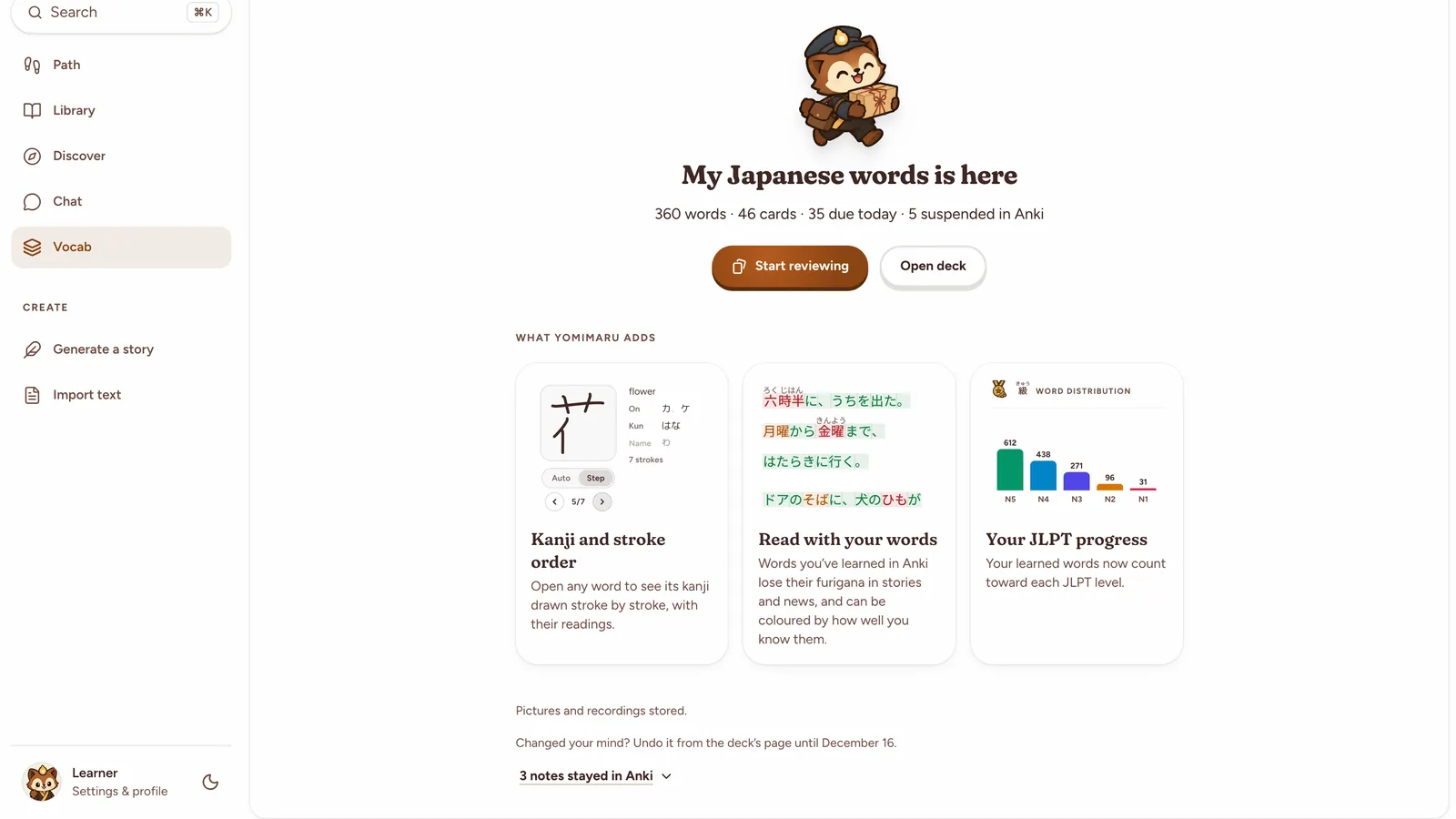
The words you learn show up in what you read: learned words lose their furigana in stories and news, and count toward each JLPT level. Words learned in Anki count from the start and fill the levels of the Yomimaru 6k, its 6,000 words ranked by frequency. Six Lantern tiers show how long you remember a word. A word counts as learned once it holds for a week (Glow). How Yomimaru tracks your progress explains the tiers.
Your daily review limit follows your Anki decks until you set your own: "Max reviews a day" rises to the highest limit among your active imported decks, up to 500. See how Today's Review is built.
A deck where you hadn't started a new card in Anki for 14 days comes in "Paused". Its reviews still come due, and its new words wait until you turn on its "Active" switch in the deck's settings. If every deck in the file is idle, the one you studied last still comes in active.
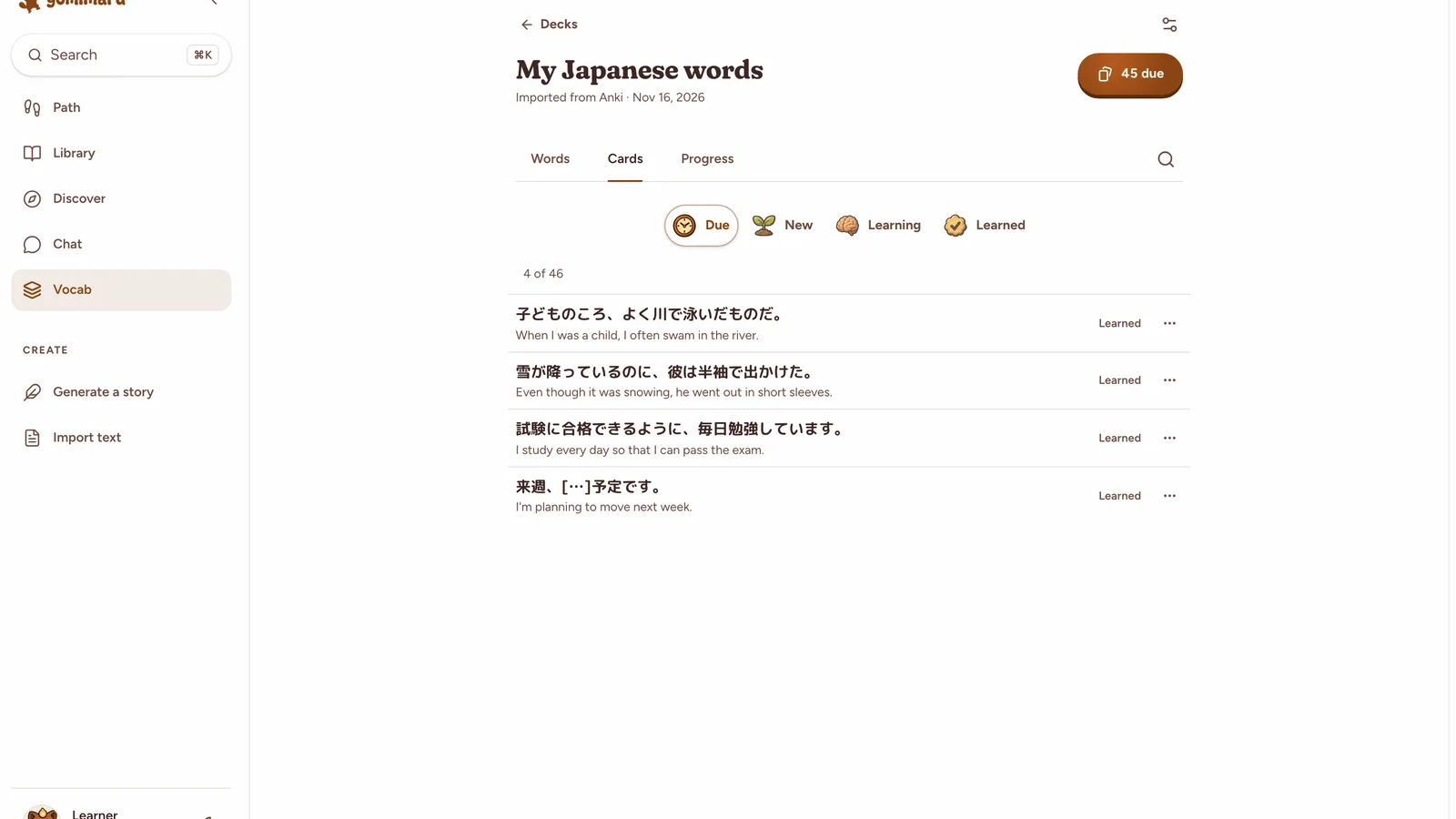
Import a deck again
Importing a deck again updates it in Yomimaru and keeps your progress: for each card, Yomimaru keeps whichever review is newer, from Anki or from Yomimaru. Importing the same file twice changes nothing.
Your settings for the deck stay as you set them: its new cards a day, whether it is active, and which directions you study. Its name, its order and Anki's review limit update from the new file, so you can keep studying in Anki for a while and import again later.
How to undo an import
Yomimaru lets you undo an Anki import for 30 days, from the imported deck's settings. "Undo this import" puts every word and card the import brought in back as it was before. A deck the import made is removed, and a deck it updated goes back to its earlier import.
The dialog warns that reviews you made in Yomimaru since the import are lost for those words and cards. A word you have set aside since then, as Known or suspended, stays that way, and a deck you removed is not brought back.
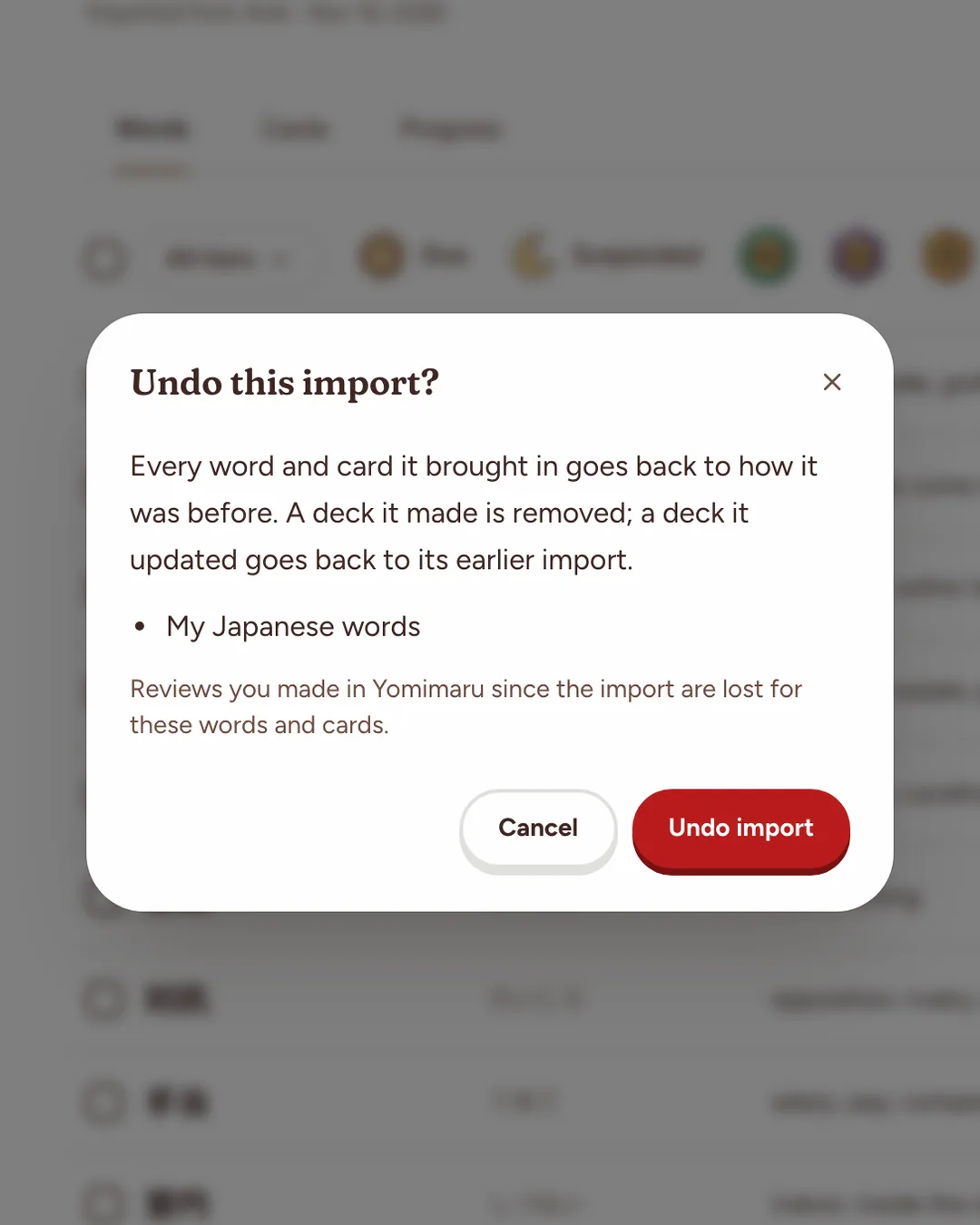
Shared decks from AnkiWeb
Yomimaru imports shared decks from AnkiWeb as well. Download a deck's .apkg file from AnkiWeb's shared decks and drop it on the import page. A deck you never studied has no review history, so every word starts as new, in the deck's own order.
Vocabulary decks with one word to a card come over as Yomimaru words, and sentence decks such as Jlab as cards with their own schedule, audio and pictures included in both. If you studied a shared deck in Anki already, export it from your own Anki with Include scheduling information ticked, so your reviews come too.
Going the other way: from Yomimaru to Anki
Yomimaru can also send words to Anki. Send to Anki adds a word to your Anki in one click from the reader's word popup, a word card or a review card, on desktop Chrome, Edge or Firefox with the AnkiConnect add-on. Safari can't reach Anki, and on a phone the words you send wait until a computer with Anki connects.
To move many words at once, export a word list or your starred words as a TSV file and import it into Anki. Settings › Integrations › Anki holds both directions: "Your Anki decks" and "Send words to Anki".
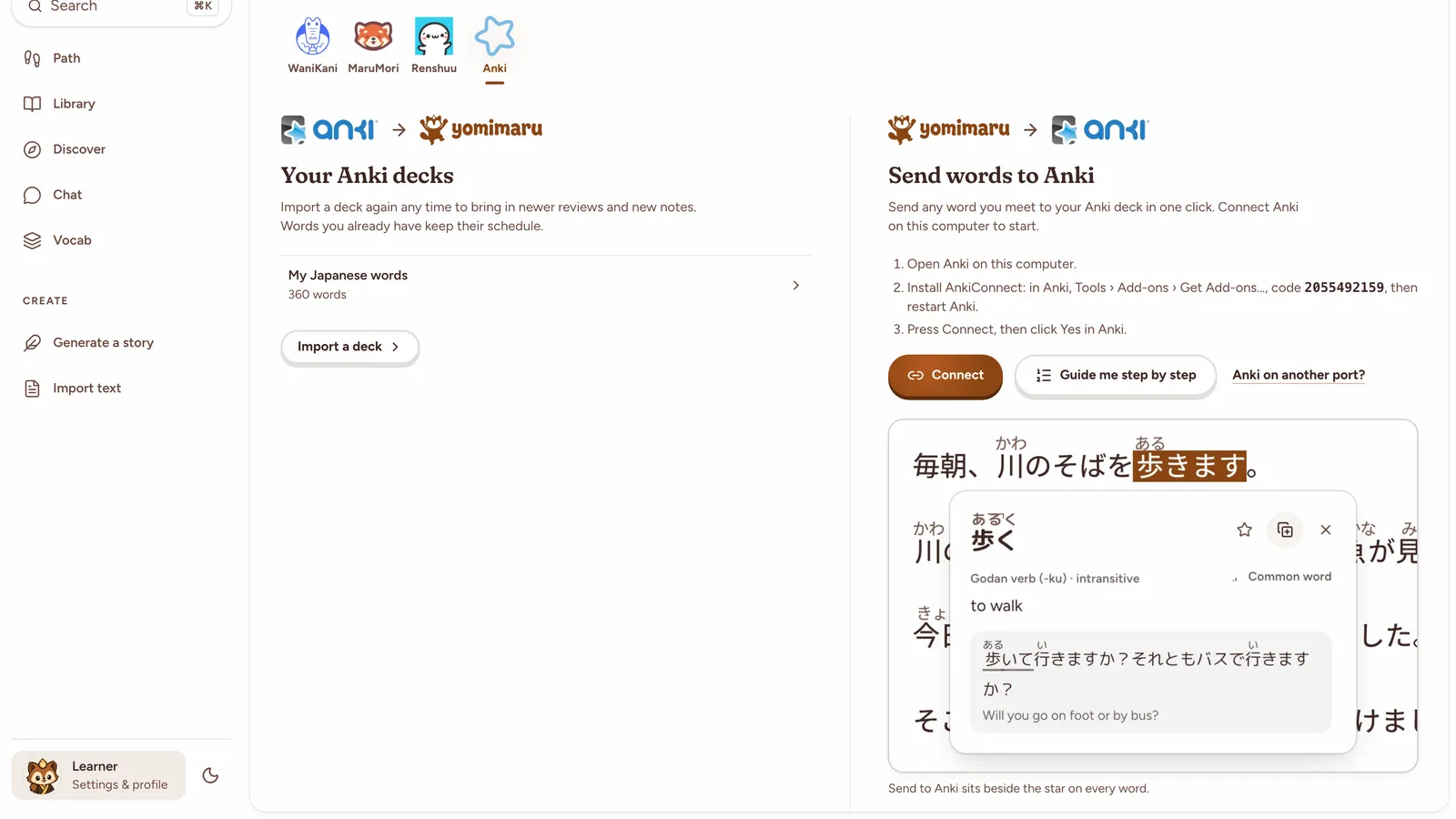
Questions
Will importing change my Anki collection?
No. Yomimaru reads a file you export from Anki, so your collection stays as it was and nothing is sent back to it. You can undo the import in Yomimaru for 30 days.
Does my Anki review history come over?
Yes, when your export includes it (Include scheduling information). Each card keeps its due date, and its memory comes from Anki's FSRS if you used it, or from your review log, or from its interval when there is no log. Words you've learned in Anki count as learned in Yomimaru.
Can I import a shared deck from AnkiWeb?
Yes. Download the deck's .apkg file from AnkiWeb and drop it on Yomimaru's import page. A deck you never studied has no review history, so its words start as new, in the deck's order. Pictures and audio come too, so decks like Jlab and Kaishi 1.5k keep their images and recordings.
What happens if I import the same deck again?
The same file changes nothing. A newer export updates the deck: each card keeps whichever review is newer, from Anki or from Yomimaru, and your settings for the deck stay as you set them.